How to prepare Desktop-Reminder XCopy/Portable Version?
Desktop-Reminder XCopy/Portable does not differ from the installed version using DesktopReminderSetup.exe. For using the xcopy/portable version the following steps must be made:
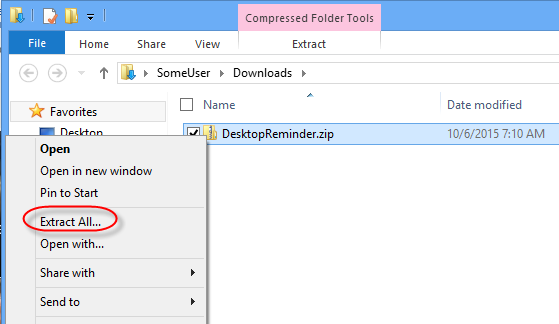
Extract the compressed file DesktopReminder.zip to a folder you want, but not a temporary folder. (Right mouse button on the file -> Extract All)
Open the extracted folder.
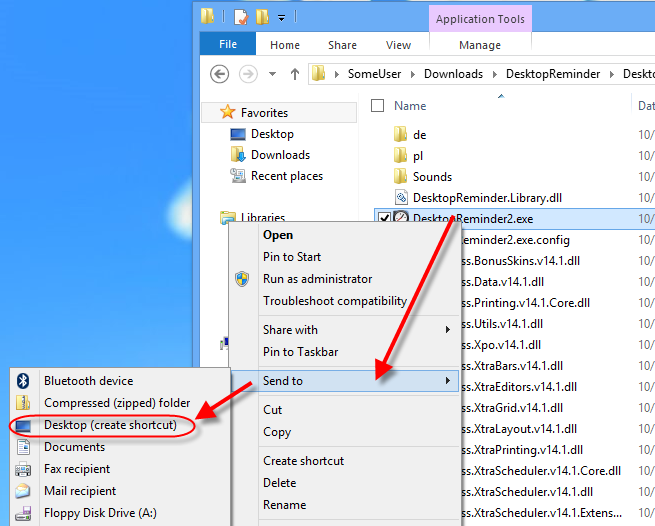
Create a shortcut to DesktopReminder2.exe and place it on the Desktop (Right mouse button on the file -> Send to -> Desktop)
Set starting the program with Windows
Activate the PRO version (if you have purchased one).