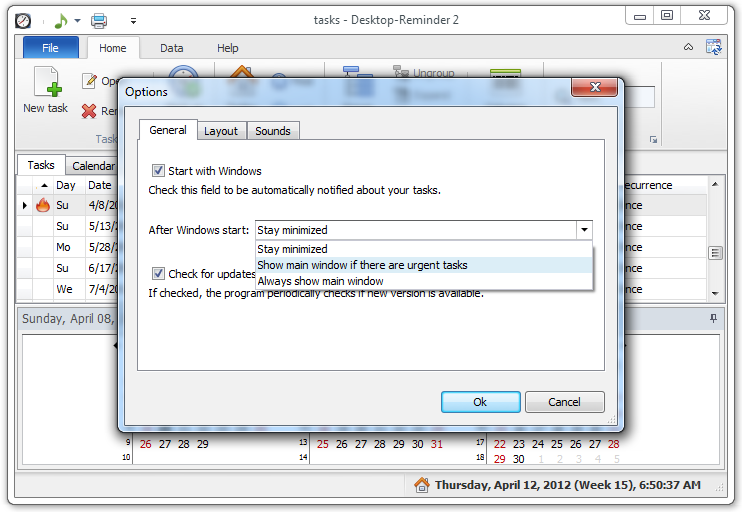
How to show the main program window with the task list after Windows start/boot?
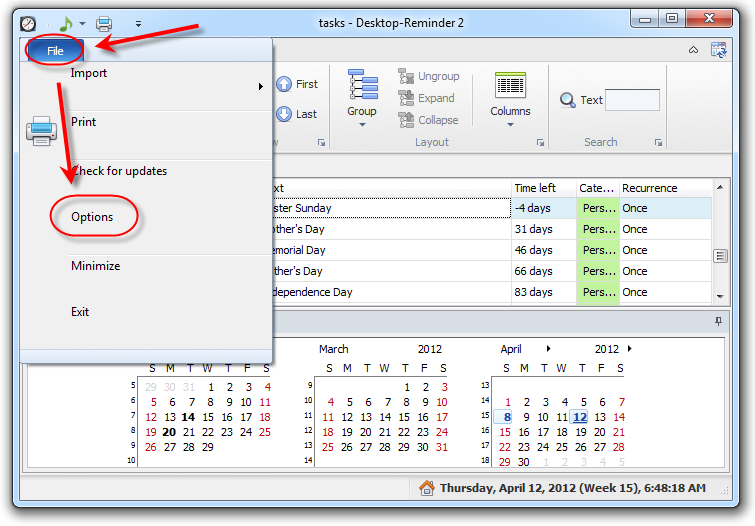
Showing the task list after the Windows start can be configured in the program options.
- "Start with Windows" check box must be selected.
- In the "After Windows start" drop-down list one of the following items should be selected:
- "Show main window if there are urgent tasks" - main window will be shown if there is at least one missed
 , urgent
  or today
  task on the list. Otherwise the program starts working minimized.
 - "Always show main window" - the main window is shown not regarding if there are any tasks