How to restore tasks from the backup files?
What is backup?
Once a day a backup file is created if there is at least one task defined.
The backup file is created in the same directory the database file is stored.
Its naming schema is like below: <DatabaseFileName>.backup.YYYYMMDD e.g. Database filename: c:\MyDocuments*tasks.dr2** Backup filename: c:\MyDocuments*tasks.dr2.backup.20120101**
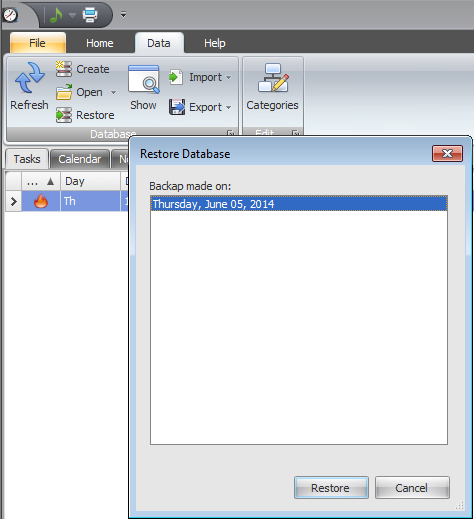
How to restore the backup?
- Click "Data" ribbon page
- Click the "Restore" button in the Ribbon
- Select backup by its date
- Click the "Restore" button at the bottom of the "Restore Database" dialog