How to activate Desktop-Reminder PRO?
After purchasing the PRO version of Desktop-Reminder you get an email with the key file (*.keyDR) attached.
Copy the file *.keyDR in a secure place, not accessible for third persons and included in your backup routine.
Normal version: Double click the license file *.keyDR in Windows Explorer
Portable version: Click on the main window Help->About PRO->Activate PRO
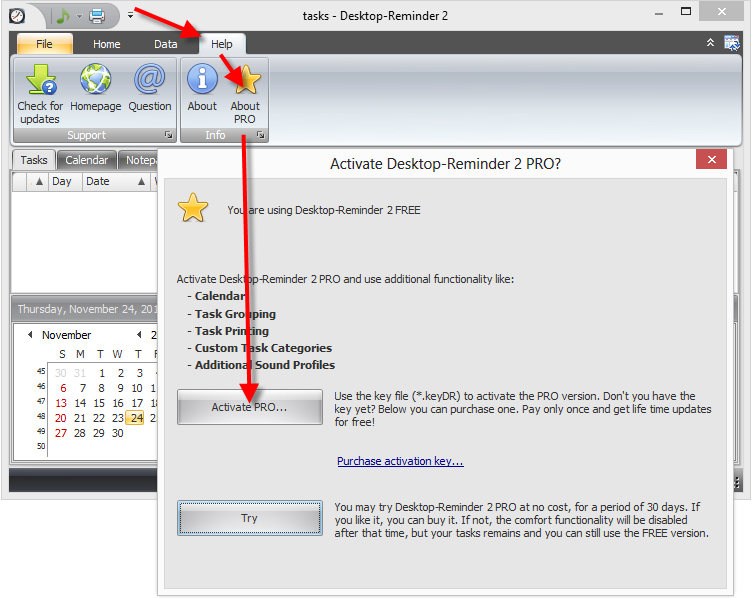
after the open dialog is shown, select the previously stored *.keyDR file and click the Open button.
Check if the PRO version was installed correctly and the About dialog shows the license type: PRO. Help->About
Installing the latest version of Desktop-Reminder is recommended before activating the PRO version.
https://desktop-reminder.com/en/download/